
Iris FOR CREATORS
Run Your Creative Workflow Through Messages
Text Iris what needs handling. Iris keeps production moving, tracks deadlines and deliverables, prepares replies, organizes publishing work, and tells you what needs attention across your tools.


Process
Send the Work. Iris Keeps It Moving.
No new dashboard to maintain. Start with the unfinished work already on your phone — a voice note, screenshot, brief, email, link, file, or plain text.


Process
Send the Work. Iris Keeps It Moving.
No new dashboard to maintain. Start with the unfinished work already on your phone — a voice note, screenshot, brief, email, link, file, or plain text.
Process
Send the Work. Iris Keeps It Moving.
No new dashboard to maintain. Start with the unfinished work already on your phone — a voice note, screenshot, brief, email, link, file, or plain text.
The Content Is Only Part of the Job















WORK ACROSS YOUR TOOLS
Keep Your Stack. Give Iris the Job
Keep Your Stack. Give Iris the Job.
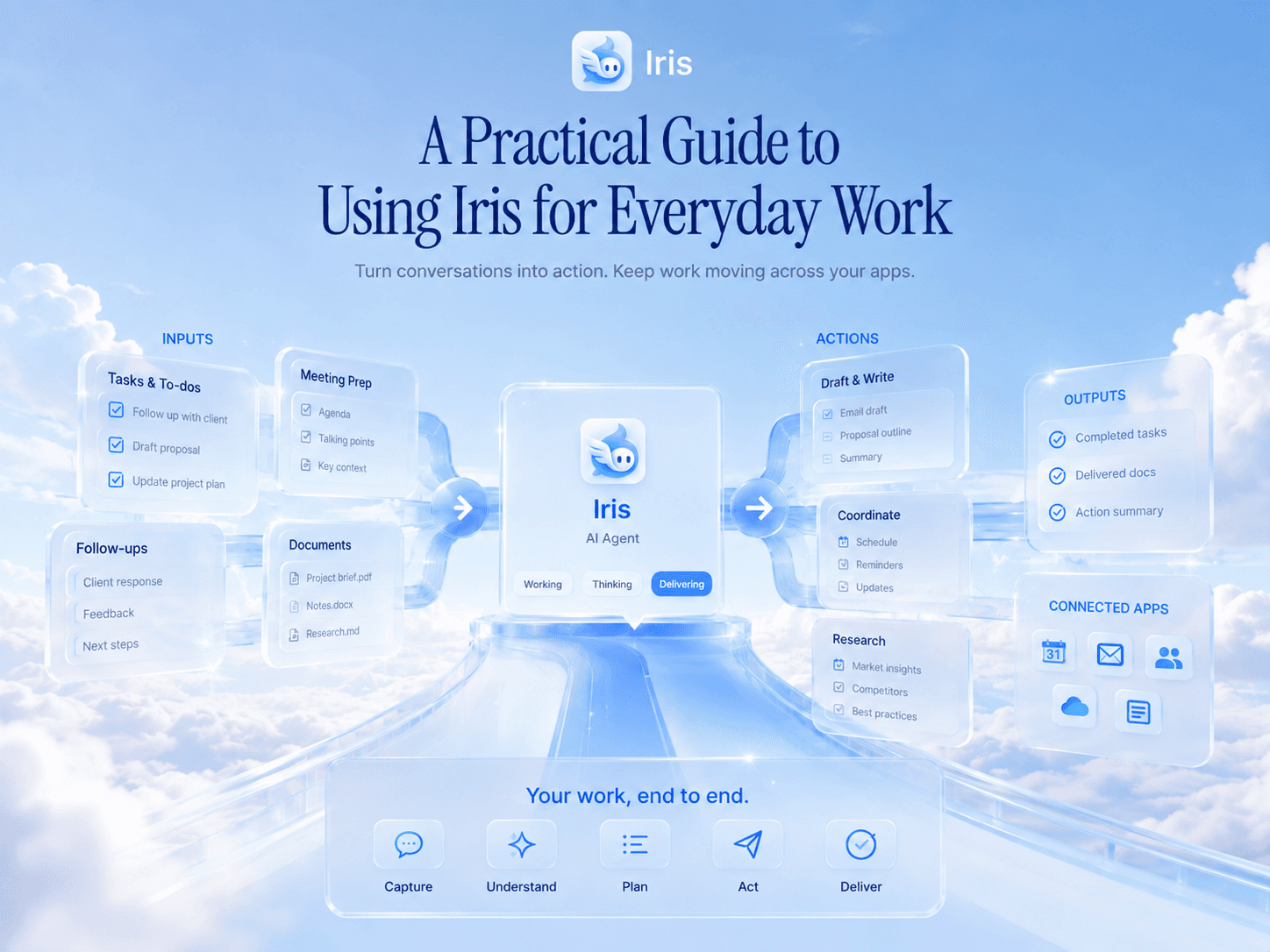
Iris can work with the tools you already use for email, calendars, files, projects, publishing, and analytics. It pulls only the context needed for the current job and keeps the work moving from the same Messages thread.
REAL WORK
Give Iris the Work Around the Work
Practical examples from the same Messages thread.
One plan
for every deliverable
Clear approvals
before anything goes live
PRODUCTION PLAN
Build the production plan
Final cut next Thursday
Iris returns phases, owners, deadlines, dependencies, missing inputs, and the next action.
PUBLISHING
Iris creates the package, flags what is missing, and shows the exact publishing preview. Nothing goes live without approval.
SPONSOR THREAD
Iris separates the ask, commercial terms, unresolved questions, required disclosures, and a reply ready for review.
REPORTING
Iris prepares the report at the requested time and explains the result in context instead of sending a wall of metrics.
Find what is blocking the edit
What do I need to send today?
Iris checks the selected project context and files, then returns only the missing items and owners.
Iris shows a sample first. If it is useful, you can turn it on, change the time, pause it, or stop it from Messages.
PRODUCTION PLAN
Build the production plan
Final cut next Thursday
Iris returns phases, owners, deadlines, dependencies, missing inputs, and the next action.
Find what is blocking the edit
What do I need to send today?
Iris checks the selected project context and files, then returns only the missing items and owners.
REPORTING
Iris prepares the report at the requested time and explains the result in context instead of sending a wall of metrics.
SPONSOR THREAD
Iris separates the ask, commercial terms, unresolved questions, required disclosures, and a reply ready for review.
PUBLISHING
Iris creates the package, flags what is missing, and shows the exact publishing preview. Nothing goes live without approval.
Iris shows a sample first. If it is useful, you can turn it on, change the time, pause it, or stop it from Messages.
PRODUCTION PLAN
Build the production plan
Final cut next Thursday
Iris returns phases, owners, deadlines, dependencies, missing inputs, and the next action.
SPONSOR THREAD
Iris separates the ask, commercial terms, unresolved questions, required disclosures, and a reply ready for review.
Find what is blocking the edit
What do I need to send today?
Iris checks the selected project context and files, then returns only the missing items and owners.
PUBLISHING
Iris creates the package, flags what is missing, and shows the exact publishing preview. Nothing goes live without approval.
REPORTING
Iris prepares the report at the requested time and explains the result in context instead of sending a wall of metrics.
Iris shows a sample first. If it is useful, you can turn it on, change the time, pause it, or stop it from Messages.
Pricing
Start With One Workflow. Expand When Iris Proves Useful
Start With One Workflow. Expand When Iris Proves Useful.
Start in Messages with a real piece of work. Add more connected tools, longer jobs, recurring briefs, and team workflows as Iris becomes part of how you run the week.
Free
Everything you need to start using Iris
/mo
Iris through iMessage
All supported connections
Starter professional skills
Persistent memory
Saved personal skills
No credit card required
Free
Everything you need to start using Iris
/mo
Iris through iMessage
All supported connections
Starter professional skills
Persistent memory
Saved personal skills
No credit card required
Free
Everything you need to start using Iris
/mo
Iris through iMessage
All supported connections
Starter professional skills
Persistent memory
Saved personal skills
No credit card required
Most Popular
Plus
For people who start relying on Iris every day
/mo
Higher AI usage limits
Longer and more complex tasks
Proactive and scheduled skills
Larger files and research jobs
Priority processing
Everything in Free
Most Popular
Plus
For people who start relying on Iris every day
/mo
Higher AI usage limits
Longer and more complex tasks
Proactive and scheduled skills
Larger files and research jobs
Priority processing
Everything in Free
Most Popular
Plus
For people who start relying on Iris every day
/mo
Higher AI usage limits
Longer and more complex tasks
Proactive and scheduled skills
Larger files and research jobs
Priority processing
Everything in Free
Teams
Teams
Iris Agent for everyone at your company
Contact Us
Personal Iris for every member
Shared company skills
Shared approved context
Team integrations and permissions
Centralized billing and administration
Custom onboarding and support
Teams
Teams
Iris Agent for everyone at your company
Contact Us
Personal Iris for every member
Shared company skills
Shared approved context
Team integrations and permissions
Centralized billing and administration
Custom onboarding and support
All supported connections included
Pause or cancel anytime
Fast turnaround
GUIDES
See What to Hand Off to Iris
Practical creator workflows for production, sponsors, publishing checklists, and useful performance reports.



FAQ
The Things Creators Ask Before Starting
Answers about production, control, connected tools, and the business around your creative work.
Nothing is sent, shared, scheduled, or published without a clear preview and your approval.
Is Iris a content generator?
That is not the main product. Iris manages the production and business work around your content. If you ask for help with research, an outline, a draft, or an adaptation, Iris can help — but it does not take over authorship or publish the result.
Is Iris a content generator?
That is not the main product. Iris manages the production and business work around your content. If you ask for help with research, an outline, a draft, or an adaptation, Iris can help — but it does not take over authorship or publish the result.
Do I need to connect every tool first?
No. Start with the job. Iris completes what it can from what you send and asks for one connection only when it makes the selected job better.
Do I need to connect every tool first?
No. Start with the job. Iris completes what it can from what you send and asks for one connection only when it makes the selected job better.
Will Iris message a sponsor or collaborator on its own?
No. Iris can draft the message and track a requested follow-up. You review the exact recipient, account, content, and attachments before it sends anything.
Will Iris message a sponsor or collaborator on its own?
No. Iris can draft the message and track a requested follow-up. You review the exact recipient, account, content, and attachments before it sends anything.
Can Iris publish for me?
Iris can prepare a complete publishing package and, where supported, execute the approved schedule or publish action. It shows the exact destination, account, version, content, and time first.
Can Iris publish for me?
Iris can prepare a complete publishing package and, where supported, execute the approved schedule or publish action. It shows the exact destination, account, version, content, and time first.
Can I use Iris for deadlines and repeating work?
Yes. Ask in normal language. Iris confirms the timing and next occurrence, then lets you change, skip, pause, run, or stop it from Messages.
Can I use Iris for deadlines and repeating work?
Yes. Ask in normal language. Iris confirms the timing and next occurrence, then lets you change, skip, pause, run, or stop it from Messages.
What does Iris remember?
Iris keeps the approved context and workflow state needed to handle your work: projects, preferences, corrections, owners, deadlines, and open loops. You can inspect, correct, or remove saved context.
What does Iris remember?
Iris keeps the approved context and workflow state needed to handle your work: projects, preferences, corrections, owners, deadlines, and open loops. You can inspect, correct, or remove saved context.
Will Iris train on private drafts or sponsor terms?
Private sources stay private to the approved workflow. Iris separates private context, shared artifacts, creator-authored work, source material, and generated language.
Will Iris train on private drafts or sponsor terms?
Private sources stay private to the approved workflow. Iris separates private context, shared artifacts, creator-authored work, source material, and generated language.
Hand Iris One Part of Your Workflow
Send the production problem, deadline, thread, publishing job, or report you need handled. Iris will take it from there and ask for a connection only if the work requires it.